Applied Math for Creative Coders
  1. Math Models for Creative Coders
  2. Tools and Tech
  3. Adding Libraries to p5.js
  • Math Models for Creative Coders
    • Tools and Tech
      • Tools and Installation
      • Starting up Sound
      • Adding Libraries to p5.js
      • Using Constructor Objects in p5.js
      • The Open Sound Protocol
    • Maths
      • Complex Numbers
      • Vectors
      • Matrix Algebra Whirlwind Tour
      • Things at Right Angles
    • Systems
      • Frequency and Time Domains
      • Phasor Diagrams
      • Sampling And Aliasing
      • Fourier Series and Fourier Transform
      • Filters
      • Convolution
    • Geometry
      • Movement and Animation
      • Circles
      • Fractals
      • Affine Transformation Fractals
      • L-Systems
      • Kolams and Lusona
    • Media
      • Additive Sound Synthesis
      • FM based Sound Synthesis
      • Making Noise Predictably
      • The Karplus-Strong Guitar Algorithm
      • A Sound Glossary
    • AI
      • Working with Neural Nets
      • The Perceptron
      • The Multilayer Perceptron
      • MLPs and Backpropagation
      • Gradient Descent
      • AI by Hand
    • Projects
      • Projects

On this page

  • Introduction
  • Simple Instructions!
  • References
  1. Math Models for Creative Coders
  2. Tools and Tech
  3. Adding Libraries to p5.js

Adding Libraries to p5.js

p5.js
Author

Arvind V.

Published

December 2, 2025

Modified

March 4, 2026

Introduction

When we wish to use some feature that is not directly available in p5.js, say for example creating Voronoi Tesselations using the c2.js library, then we need to import that JavaScript library into our p5.js session that allows us to do that.

Simple Instructions!

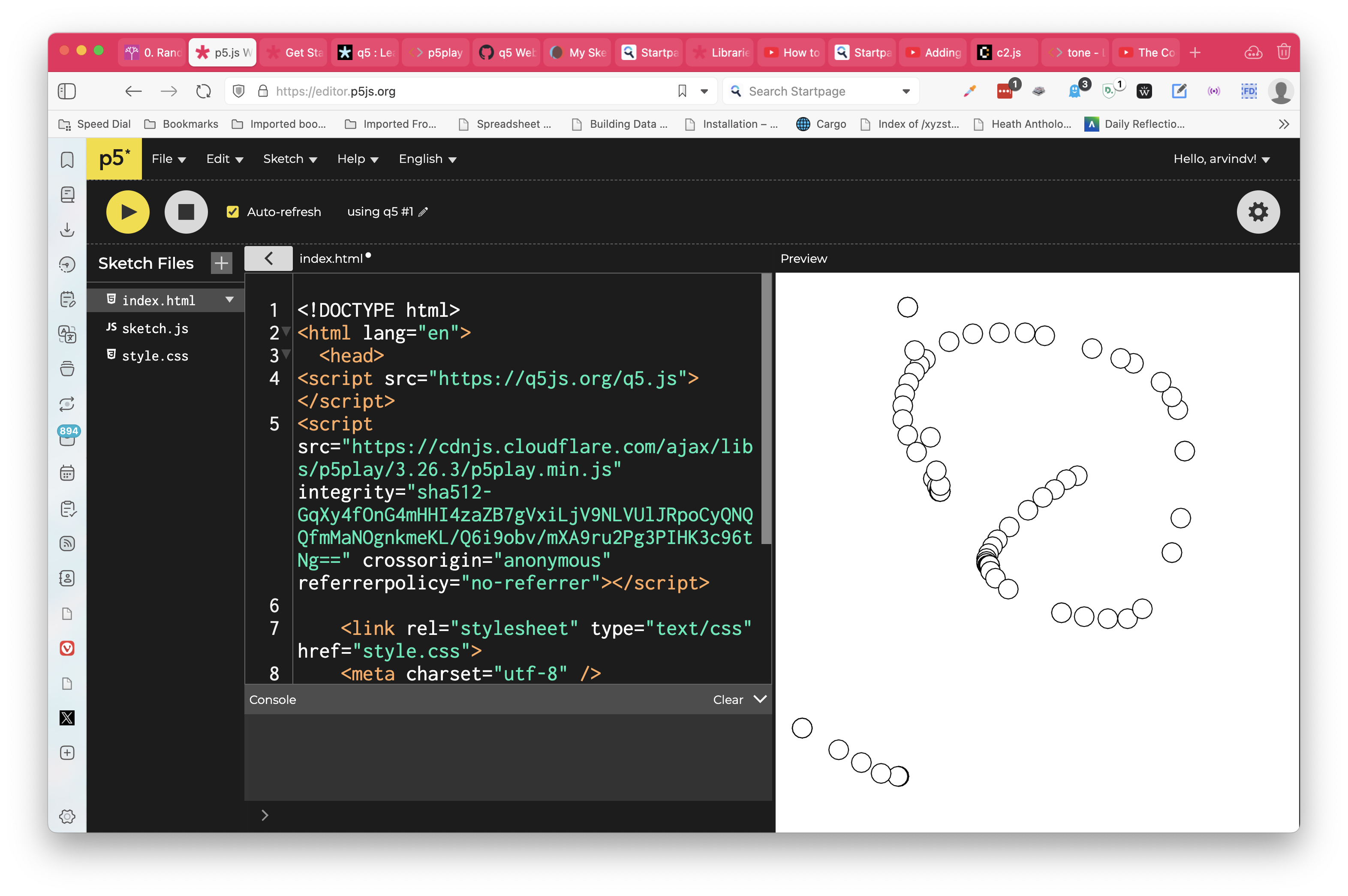
  1. On your p5.js web editor, click the arrow on the left side and access the index.html file.
Figure 1: Accessing index.html on p5js web editor
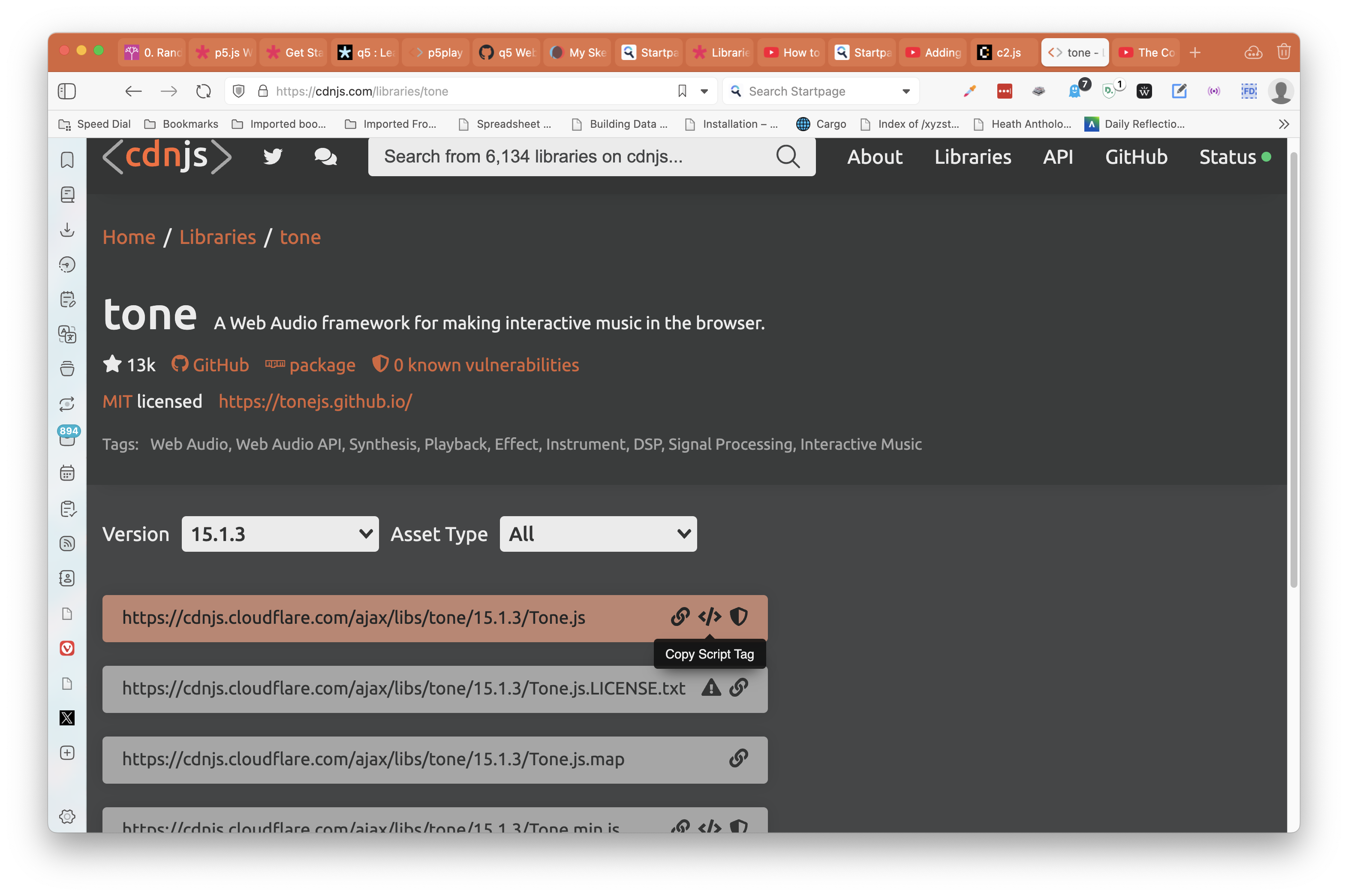
  1. Go to either jsDeliver or cdnjs and get the <script> for your chosen library:
Figure 2: Script for tonejs @ cdnjs website
  1. Paste that <script> tag and its contents into your index.html.

  2. The library will now be available in your sketch.js and you can use the commands and features from that library therein.

Here is a shortish video that tells us how to do this:

References

  1. p5.js Documentation: How to use a JS library in your p5.js sketch. https://archive.p5js.org/libraries/
  2. p5.js Community Libraries. https://p5js.org/libraries/
  3. jsDeliver https://www.jsdelivr.com/?query=p5play
  4. cdnJS.https://cdnjs.com
Back to top
Starting up Sound
Using Constructor Objects in p5.js

License: CC BY-SA 2.0

Website made with ❤️ and Quarto, by Arvind V.

Hosted by Netlify .